
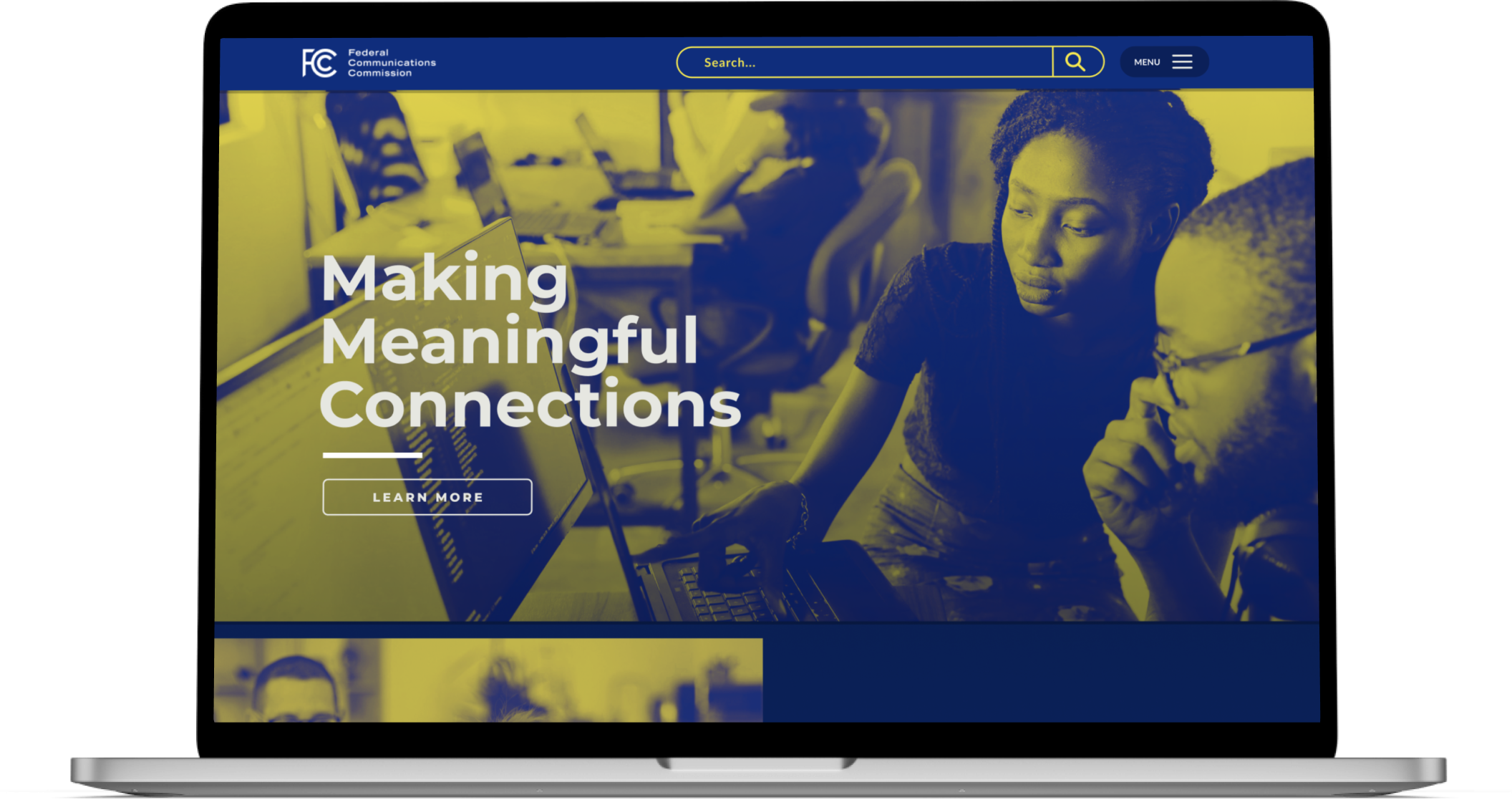
The Federal Communications Commission (FCC) is a United States agency that is tasked with regulating communication technologies. The agency has jurisdiction over broadband access, fair competition, radio frequency use, media responsibility, public safety and homeland security.
Government sites are typically regarded as uninspiring and a necessity. However, I wanted to see if I could push the boundaries with the visual identity while improving how users navigate and find content on the site. My areas of focus for this project were analysis, information architecture and visual identity. The main goal was to create an experience that is accessible to the average user.
This project was completed primarily on my own, but with the testing and research synthesis completed in a collaborative fashion.
Research
Information Architecture
Prototyping
Visual Design
The first step was to understand where the FCC site currently is. It was most important to determine:
I redlined the two common user tasks, by first documenting the flows, then creating a redline. The two tasks that made sense were File A Complaint and File a Public Comment. I performed a separate redline of just the navigation menu. I completed three usability test on the redlined tasks.

I took screenshots of each top level navigation page and annotated what each element did and how well it conformed to the 10 usability heuristics. One of the key issues I ran into immediately was the use of industry specific jargon everywhere. The redline made it apparent the redesign would revolve primarily around the information architecture and accessibility of information.
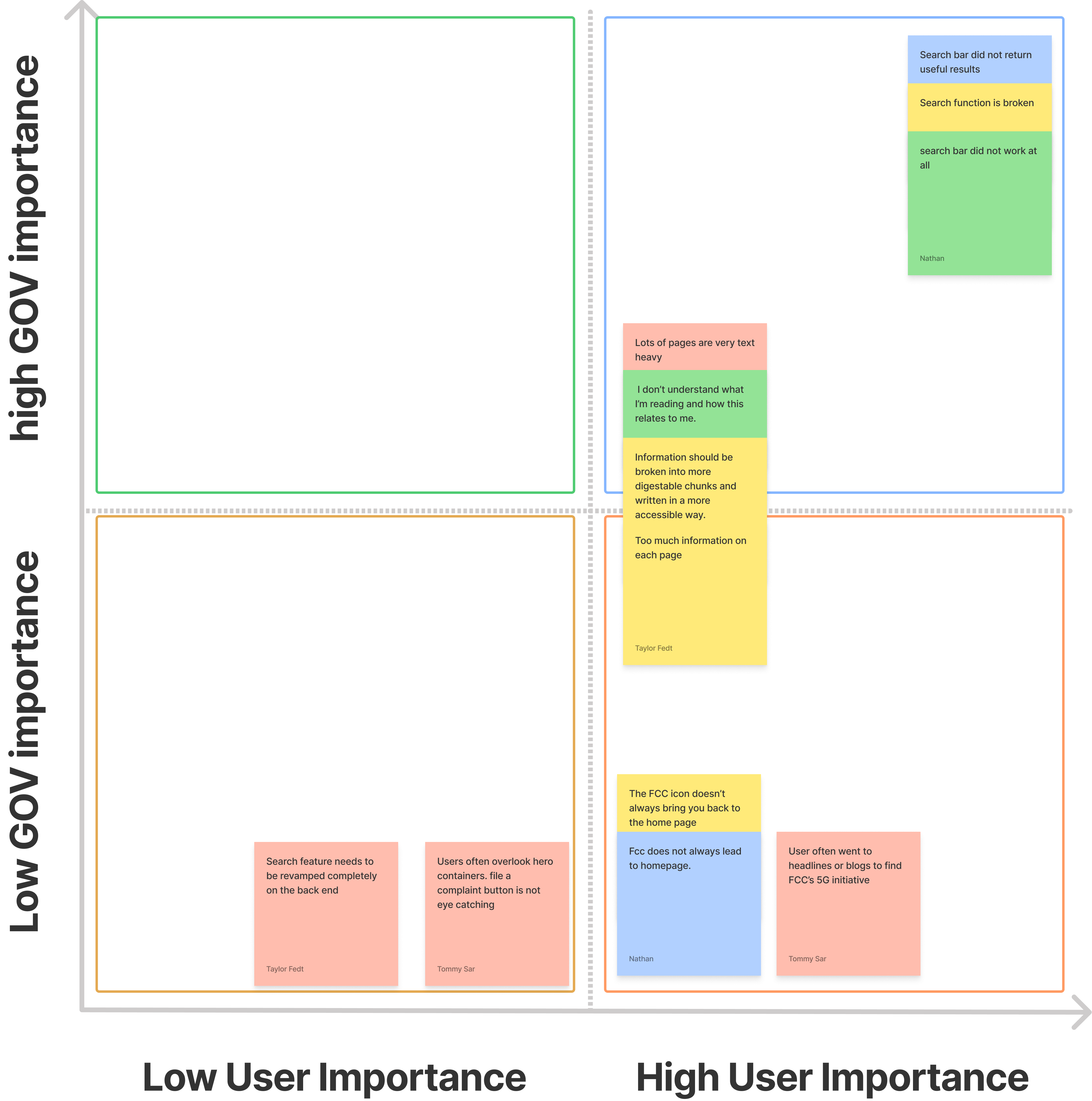
I conducted three usability tests and calibrated with two others who also interviewed two or three other users. The users were asked to file a complaint and file a public comment on a hearing. We found our users were running into three core issues:
Results were organized in an affinity diagram. Based on the affinity diagram, I created a feature prioritization matrix around the usability test results. The goal was to identify what the minimum viable product (MVP) would be and where the most impact could be made within a limited amount of time.
After performing the initial analysis and usability testing, the next phase focused on defining the user and reorganizing the site. The first was to create a user persona, then perform a card sort and create a new sitemap with the card sort results.

The user for the redesign is an average consumer with little to no technical knowledge of the communication industry. The main focus when using the FCC site is going to revolve around filing a complaint against a provider, or filing a public comment on a proceeding.
Meet Josephine Clarks, a 45-year old high school graduate who’s motivated by anxiety and uncertainty. The redesign should deliver the FCC’s content to her in an easy way and address her pain points.
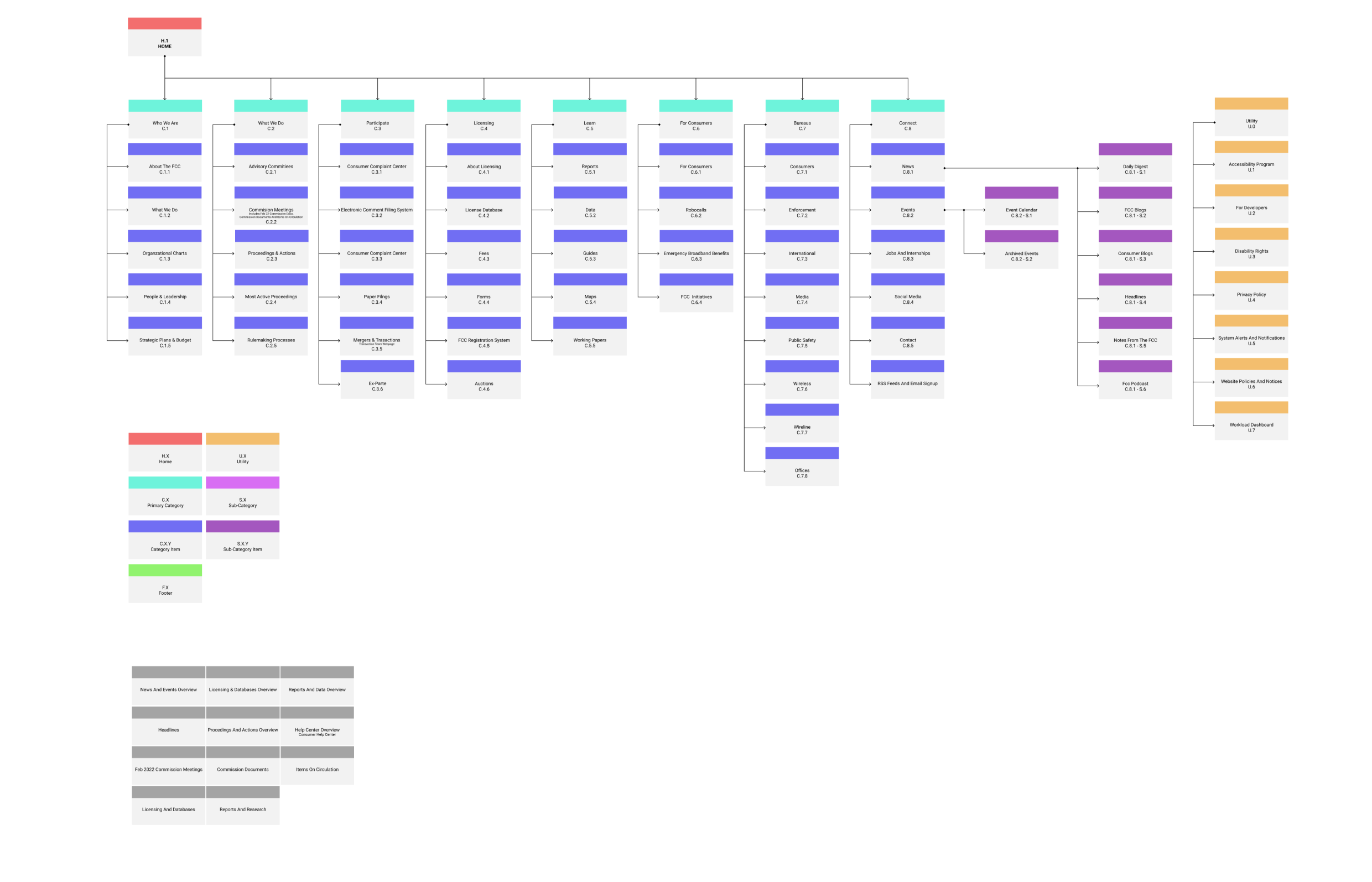
I performed a card sort of all current pages and categories on the site. The card sort resulted in a new simpler site map that removed industry jargon and complicated abbreviations. Special attention was paid to taxonomy and labeling to make the content easier to understand.
I wanted to get the visual identity figured out first, including imagery and the color palette. Then, I created several prototypes in varying fidelities as well as a prototype that was specific to just navigation.
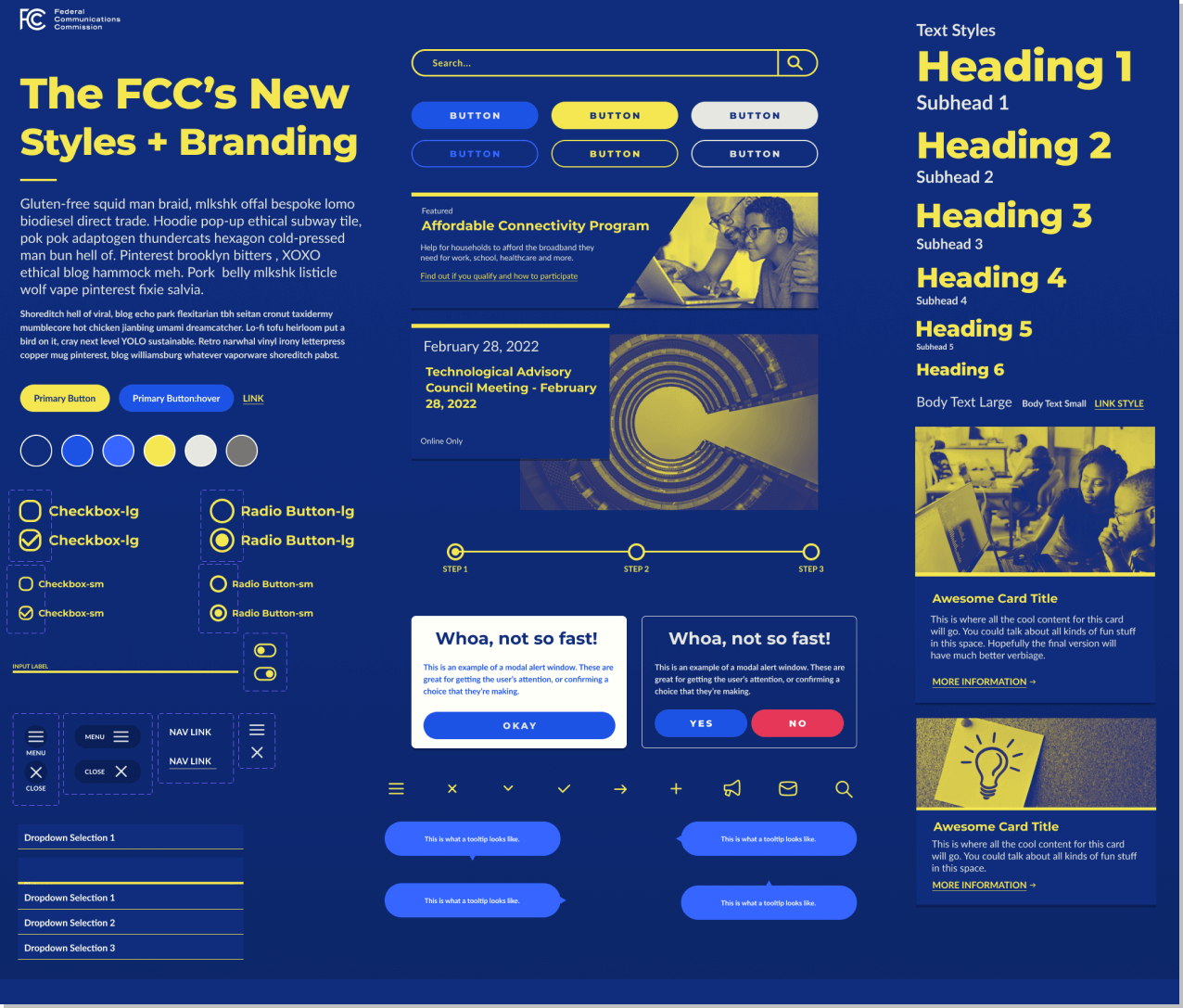
I started with the visual identity and some of the components I knew I’d need to execute the redesign. I reworked the colors so they were WCAG 2.0 compliant and ensured there was enough contrast with each element. I continued to add to this as the project progressed. The example shown is an iterations.
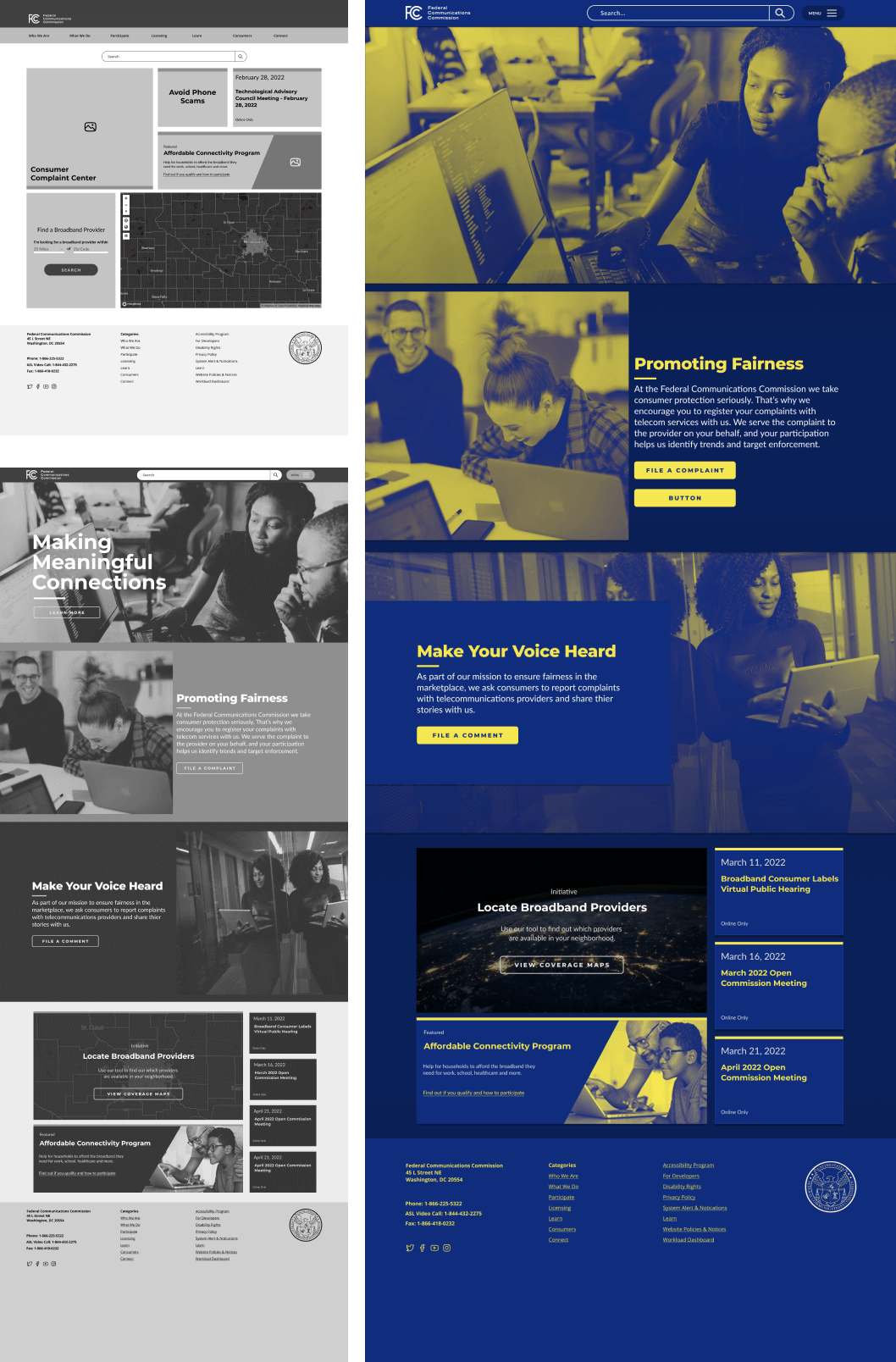
Prototyping the redesign was where the new visual design would be married with functionality. I worked through several iterations of the homepage before the final fidelity version was prototyped. I collaborated with others after each iteration and made improvements through each version.
One of the features I wanted to redesign was the File A Complaint flow. This was accomplished by navigating through pages of forms. I decided to build one step per page. The goal was to make the task as easy as possible and require the least amount of effort from the user. The content was chunked into smaller steps that are more easily digestible.

For the navigation, I initially create a drop-down navigation. After doing guerrilla user testing, I realized users were having too much trouble getting the navigation to work properly. The feedback received indicated the drop-down felt hard to use when each category was hovered over. As a solution it was decided to implement a large navigation menu that could be activated with a button click.
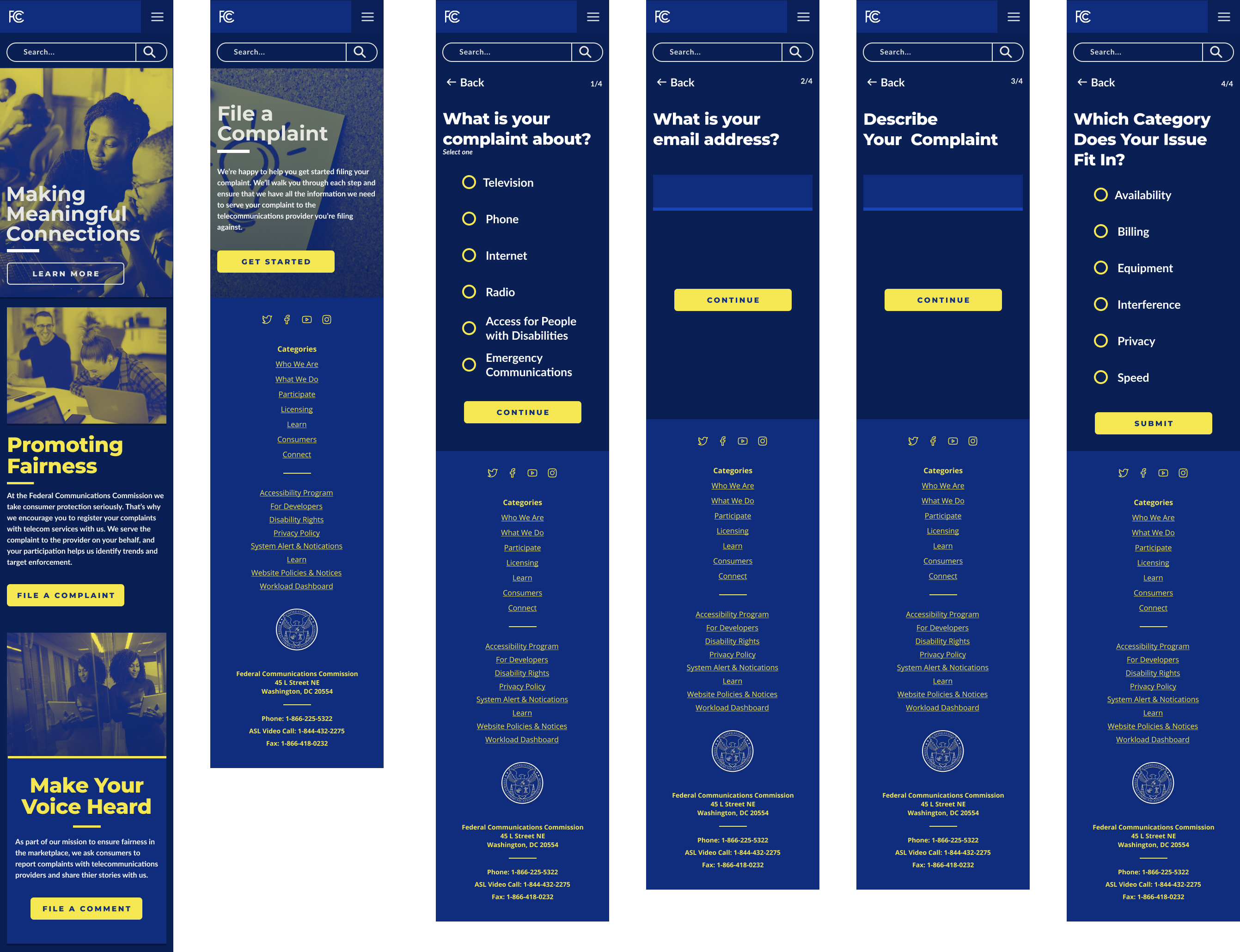
Once the high fidelity desktop mockup was created, a mobile version was developed. The desktop was easily adopted to the mobile version.